
Chai: Chat AI Platform
Screenshots






Chai is a revolutionary mobile platform designed for Android that brings artificial intelligence to your fingertips. This app allows you to chat with a vast library of AI personalities, ranging from helpful assistants to fictional characters. Unlike standard chatbots, Chai focuses on providing a highly social and interactive experience. It creates a space where imagination meets technology, allowing users to explore endless conversational possibilities.
The app stands out because it offers a personalized journey for every user. You can dive into pre-made chat rooms or even design your own AI companion with a unique personality. Whether you want to roleplay an adventure, seek advice, or simply kill time with a friendly bot, Chai provides the tools to do it. The interface is sleek and intuitive, making it easy for anyone to start a conversation within seconds.
How to Download and Install Chai: Chat AI Platform APK for Android
Experience the future of social interaction with Chai: Chat AI Platform. This innovative app connects you with millions of AI personalities from around the world. Whether you want to roleplay, seek advice, or simply enjoy a friendly conversation, Chai offers an immersive experience right on your Android device.
Follow this guide to download and install the Chai APK safely and efficiently.
Why Choose Chai: Chat AI Platform?
Chai stands out in the AI world by focusing on personality and creativity. Unlike standard assistants, Chai bots offer emotional engagement and unique backstories.
- Unlimited Variety: Access a massive library of user-created characters.
- Custom Creation: Build your own AI companion with specific traits and a unique voice.
- Active Community: Interact with bots that rank based on how much users enjoy chatting with them.
- Real-time Interaction: Enjoy fast, responsive conversations that feel incredibly human.
Preparation: Enable Unknown Sources
Android devices prioritize security by blocking apps from outside the Google Play Store. Before you install the Chai APK, you must adjust your settings.
- Open the Settings app on your Android phone.
- Navigate to Security or Privacy (this varies by device).
- Look for the Install Unknown Apps or Unknown Sources option.
- Select your mobile browser (like Chrome) and toggle the switch to Allow.
Note: Modern Android versions require you to grant this permission to specific apps rather than the entire system.
How to Download the Chai APK
Now, find the correct file. Use your phone’s web browser.
Follow these points:
- Visit Filetomob.com.
- Type “Chai: Chat AI Platform APK Download” into your search bar.
- navigate to the App Page.
- Check the file size (usually around 40–60 MB).
- Tap the Download APK button.
Wait for the file to finish downloading. Meanwhile, do not open it yet.
How to Install the Chai APK
Installing the app takes only a few moments. Follow these simple instructions:
- Open the File: Tap the completed download notification or find the file in your Downloads folder.
- Confirm Installation: A prompt will appear asking if you want to install the application. Tap Install.
- Wait for Completion: The system will extract the files and set up the app on your device.
- Launch the App: Tap Open once the installation finishes.
System Requirements
To enjoy a smooth experience without lag, ensure your device meets these basic requirements:
- Operating System: Android 7.0 or higher.
- Storage Space: At least 200MB of free space for the app and cached chat data.
- Internet Connection: A stable Wi-Fi or data connection for real-time AI processing.
How to Get Started With Chai: Chat AI Platform For Android After Installation
You just installed Chai on your Android phone. Now what? Don’t worry. Getting started is simple. This guide walks you through every step. You will chat with AI bots in minutes.
Step 1: Open the App for the First Time
Tap the Chai icon on your home screen. The app loads quickly. You will see a welcome screen. First, grant the necessary permissions. The app needs basic access to work properly.
For example, enable notifications. This way, you never miss a reply from your AI. Next, check your internet connection. Chai works best with a stable Wi-Fi or mobile data signal.
Step 2: Create Your Account or Skip
Chai offers a quick setup. You can sign up using your email. Alternatively, use a guest account. However, creating an account saves your chats. It also unlocks more features.
Here is what you should do:
- Enter a valid email address.
- Create a simple password.
- Verify through a code sent to your inbox.
After that, the app asks for a display name. Pick any name you like. This name appears to other users if you share public bots.
Step 3: Choose Your First AI Bot
Now the fun part begins. Chai hosts thousands of unique AI characters. Swipe through the main feed. You will find bots for gaming, advice, romance, or casual talk.
To select a bot:
- Tap on any character avatar.
- Read the short description.
- Press the “Chat” button.
Consequently, the conversation starts immediately. Do not overthink it. Pick one that looks interesting. You can always switch later.
Step 4: Understand the Chat Interface
The chat screen is very clean. You see a text box at the bottom. Above it, the bot sends messages. Each reply appears inside a bubble.
Keep these tips in mind:
- Type your message in the text field.
- Press the send icon (paper plane).
- Wait one to two seconds for a reply.
Moreover, you can edit or delete your messages. Just tap and hold on your own text. The AI remembers your previous messages. Therefore, the conversation flows naturally.
Step 5: Start Your First Conversation
Introduce yourself to the bot. Use simple, clear sentences. For instance, say “Hello, what is your name?” or “Tell me a joke.” The bot responds instantly.
Here is a sample start:
- You: “Hi, I am new here.”
- Bot: “Welcome! How can I help you today?”
Because the AI adapts to your style, feel free to ask anything. Keep your questions short. The bot stays in character. If you choose a pirate bot, it will speak like one.
Step 6: Explore Different Bot Categories
Do not stick to just one bot. Swipe left or right to browse categories. You will find:
- Funny bots for laughs.
- Study bots to learn facts.
- Storyteller bots for bedtime tales.
- Roleplay bots for adventures.
Transition to a new bot anytime. Simply tap the back arrow. Then pick another character from the feed. Each bot gives you a fresh experience.
Step 7: Rate and Improve Your Experience
After each chat, you see thumbs up and down icons. Use them. Your feedback teaches the platform. Consequently, Chai shows you better bot matches over time.
Also, check your chat history. Tap the menu icon (three lines). Then select “History.” You can revisit any old conversation. Delete chats you no longer need. This keeps your list organized.
Step 8: Adjust Settings for Better Control
Open the settings panel. Look for the gear icon on the top right. Here, you can:
- Change your display name.
- Enable dark mode for night use.
- Clear cache to free space.
- Log out from your account.
Furthermore, you can block certain words or topics. This filters the bot’s replies. It makes your experience safer and more comfortable.
Step 9: Save Your Favorite Bots
Found a bot you truly enjoy? Save it. Tap the heart icon next to the bot’s name. The bot moves to your “Favorites” list. As a result, you never lose track of great conversation partners.
To access your favorites:
- Tap the menu icon.
- Select “Favorites.”
- Start chatting again instantly.
Step 10: Practice Regular Chatting
Like any tool, Chai improves with use. Chat daily for best results. Short sessions work perfectly. For example, talk for five minutes every morning. The AI learns your preferences. Replies become more personal over time.
Finally, remember to update the app. Open Google Play Store. Search for Chai. Tap “Update” if available. New updates bring faster replies and new bot characters.
Chai: Chat AI Platform Key Features
Chai is a leading AI platform for Android users who love storytelling and deep conversation. It offers a unique space where imagination meets advanced technology. Whether you want to chat with a hero or build your own legend, Chai makes it happen instantly.
Explore the Infinite Character Library
The heart of Chai lies in its massive library. You will never run out of people—or creatures—to talk to. The platform hosts a limitless variety of personalities, ensuring there is always someone new to meet.
- Historical Icons: Seek advice from philosophers or world leaders.
- Celebrity Encounters: Chat with digital versions of your favorite stars.
- Anime and Fiction: Dive into niche tropes and beloved series.
- Original Characters (OCs): Discover unique personalities created by the global community.
Build Your Own Bot with No-Code Creation
You do not need to be a programmer to create a masterpiece. Chai features an intuitive Character Creator that simplifies the entire process. You can bring a new bot to life in just a few minutes.
First, give your character a Name. Second, write a brief Prompt to define their personality and knowledge. Finally, set a Greeting to start the conversation. The AI handles the complex logic, allowing you to focus purely on the creative vision.
Experience Immersive Authentic Voices
New for 2026, Chai now features Authentic Voices. This update moves beyond text-based interaction to provide a full auditory experience. Every bot can now possess a unique vocal personality that matches its character.
These voices sound natural and carry emotion. When you speak with a character, their tone shifts based on the mood of the conversation. This feature adds a layer of realism that makes every interaction feel significantly more personal.
Master the Art of Dynamic Roleplay
Chai excels at Dynamic Roleplay. The AI model understands more than just words; it understands actions and context. This allows for a rich, cinematic storytelling experience.
Users often use asterisks to describe physical movements, such as tilts head curiously or walks toward the window. The AI responds in kind, weaving these actions into the narrative seamlessly. This back-and-forth creates a vivid world where you are the lead character.
Climb the Global Leaderboard
The Leaderboard keeps the community competitive and fresh. This public ranking system showcases the most popular bots on the platform.
Chai calculates rankings based on user engagement and total chat volume. If you create a bot that people love, you might see it climb to the top. The Leaderboard helps you find high-quality characters and motivates creators to build the most engaging AI companions possible.
Advanced Creation and Engagement Features
Integrated AI Image Generation
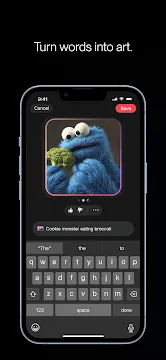
The chat experience is now more visual than ever. Chai integrates powerful Image Generation directly into your conversations.
With a simple text prompt, you can ask the AI to generate original artwork. This is perfect for creating:
- Character Portraits: See exactly what your AI companion looks like.
- Fantasy Realms: Visualize the settings of your roleplay.
- Scene Backgrounds: Create high-fidelity images of breathtaking landscapes.
Group Chat Capabilities
You no longer have to chat with just one bot at a time. The Group Chat feature allows you to bring multiple characters into a single room.
You can add between 2 to 10 characters to a shared conversation. This creates a dynamic environment where bots interact not only with you but also with each other. It is ideal for layered storytelling and complex social scenarios.
Smart Response Editing and “Reroll”
Chai puts you in total control of the narrative flow. If a bot gives a response that does not fit your vision, you can use the Reroll button.
This instantly generates a new reply from the AI. Additionally, you can manually Edit any message. This ensures the story always stays on track and maintains the specific tone you desire.
Personalized User Experience
Customizable User Personas
To make conversations feel more authentic, you can set up your own User Persona. Instead of being a generic user, you can define your own traits, name, and backstory.
The AI reads this information to understand who you are in the story. This leads to more personalized interactions where the bot remembers your specific role and history.
Flexible Privacy Controls
Chai values your creative freedom and safety. When you create a character, you have three distinct visibility options:
- Public: Share your creation with the entire world and climb the leaderboard.
- Unlisted: Share your bot only with friends via a private link.
- Private: Keep your character and conversations entirely to yourself.
Optimized “Ultra” AI Models
For power users, Chai offers the Ultra Tier. This provides access to the platform’s most advanced proprietary models.
These models are fine-tuned for high emotional engagement and longer context. They provide deeper, more coherent responses that reduce repetitive phrasing and improve long-term consistency in your roleplays.
Chai: Chat AI Platform Performance & User Experience on Android
Chai AI offers a unique space for Android users to explore creative and social conversations. The app focuses on user-generated bots, giving you a diverse experience every time you log in. Below is a guide to the current user experience on the Android platform.
Navigating the Interface: Discovery vs. Inbox
The Android app splits your journey into two main areas. This design helps you find new content while keeping track of your existing stories.
- The Discovery Feed: This is your gateway to new characters. It acts as an endless scroll of trending and new bots. You can see avatars and short descriptions here to help you pick your next conversation.
- The Inbox: This section stores your active chats. It acts as a central hub for all your ongoing roleplays and dialogues.
While the “Discovery” feed is all about variety, the “Inbox” focuses on continuity. This structure makes it easy to jump between a new adventure and a familiar friend.
App Performance: Speed and Stability
Performance is a key part of the Android experience. The developers frequently update the app to keep it running smoothly on various devices.
- Fast Loading: Chats usually load quickly. You can start typing almost immediately after selecting a bot.
- Stability: The app is generally stable, though heavy usage can occasionally cause minor glitches.
- Connectivity: Because the AI processes data in the cloud, you need a steady internet connection for the best speed.
Overall, the app feels responsive. It handles transitions between menus with very little lag, ensuring your creative flow remains steady.
Customizing the Conversation: The Reroll Feature
One of the most powerful tools in the Chai app is the Reroll (or swipe) feature. This tool gives you control over the direction of the story.
If you do not like a bot’s response, you can simply swipe it away. The AI then generates a brand-new reply. This is helpful for several reasons:
- Correcting Mistakes: If the AI forgets a detail, a reroll can fix the logic.
- Changing Tones: You can search for a response that feels more natural or exciting.
- Training Your Bot: Frequent rerolling helps the AI learn what kind of answers you prefer over time.
This feature ensures that you are never stuck with a “bad” answer. It keeps the interaction interactive and puts the power of the narrative in your hands.
Chai: Chat AI Platform for Android – Privacy and Safety Guide
Chai has gained massive popularity on Android for its “unfiltered” AI interactions. While this freedom attracts many users, it also raises important questions about safety and data security. This guide explores how the platform handles your information and what you need to know before you start chatting.
The “Unfiltered” Reputation and 18+ Rating
Chai differs from many mainstream AI apps because it does not use strict “safety rails.” Most AI platforms block mature or suggestive content entirely. Chai, however, allows these interactions to happen.
- Maturity Rating: Because of the loose filters, the app maintains a strict 18+ rating on the Google Play Store.
- User Responsibility: The platform relies on users to set their own boundaries.
- Content Nature: You will likely encounter NSFW (Not Safe For Work) bots and roleplay scenarios that other apps would censor.
Understanding Data Privacy
When you use Chai, the app collects specific types of data to function and process payments. Understanding this collection helps you maintain your digital footprint.
What Data is Collected?
- Purchase History: The app tracks your subscriptions and transactions.
- Identifiers: This includes your device ID and account information.
- Usage Data: Chai monitors how you interact with the app to improve the AI models.
Can Bot Creators Read Your Chats?
This is a major concern for the community. To be clear: Bot creators cannot see your private conversations. While creators can see “Global Analytics” (like how many people talked to their bot), they do not have access to your specific chat logs or your identity. Your secrets remain between you and the AI.
Essential Safety Tips
You should always prioritize your privacy when using third-party AI platforms. Follow these steps to keep your experience secure:
- Avoid Personal Details: Never share your real name, address, or financial information with a bot. Even if the bot feels “real,” it is still a data-driven program.
- Report Problematic Bots: If a bot promotes illegal acts or extreme harm, use the Report button immediately. This helps the developers moderate the ecosystem without censoring creative expression.
- Use Anonymous Logins: If you want extra privacy, consider using a secondary email address rather than your primary social media account.
- Clear Your History: You can delete individual chats at any time. Doing this regularly ensures that your local device history stays clean.
Conclusion
Chai offers a unique, unfiltered space for AI companionship. However, this freedom requires you to be proactive about your safety. By keeping your personal data private and understanding the platform’s limits, you can enjoy the app while staying protected.
Mastering Chai: Tips for Better Conversations
Chai is a powerful AI platform that lets you build and interact with unique personalities. To get the best results, you need to know how to communicate effectively with the model. These tips will help you create deeper, more consistent interactions.
The “OOC” (Out-of-Character) Hack
Sometimes you need to guide the bot without breaking the flow of the story. This is where the OOC technique becomes essential. By using brackets, you can speak directly to the AI “author” behind the character.
- How it works: Place your instructions inside parentheses or brackets, such as (OOC: Please describe the setting more vividly).
- Why use it: It allows you to correct the bot’s behavior or shift the scene without your character actually saying those words.
- Directing the plot: Use it to skip time or introduce new elements. For example, (OOC: Let’s fast forward to the next morning).
This keeps the narrative clean while giving you full control over the direction of the chat.
Prompt Engineering: Fighting “Memory Fog”
AI models have a limited “context window.” This means they can eventually forget details from the beginning of a long conversation. This is often called memory fog. You can prevent this by writing a high-quality backstory prompt.
Write better prompts with these steps:
- Be Specific: Instead of saying “He is nice,” write “He is a soft-spoken librarian who loves old poetry.”
- Set the Scene: Describe the relationship between the bot and your persona immediately.
- Establish Habits: Mention specific phrases or physical ticks the bot should use often.
- Update the Memory: If the story changes significantly, edit the bot’s description to include new, permanent facts.
A strong foundation ensures the AI stays in character even after hundreds of messages.
Managing Your Persona
The Persona feature is your secret weapon for consistency. It ensures the bot always knows who you are, what you look like, and how you behave.
- Define Your Role: Use the Persona settings to list your name, age, and personality traits.
- Detail Your Appearance: Include physical descriptions so the bot reacts to you correctly during descriptions.
- Save Effort: Once you set your Persona, you no longer need to introduce yourself in every new chat. The bot “reads” this data before the first message is even sent.
By filling out your Persona, you stop the bot from guessing your identity. This creates a much more immersive and personalized experience from the very first word.
Frequently Asked Questions About Chai: Chat AI Platform for Android
What is the Chai app exactly?
Chai is a social platform. Instead of talking to people, you chat with AI characters.
- You can create your own bot.
- You can also chat with bots made by others.
- Each bot has a unique personality.
In short, it is like a messaging app for artificial intelligence.
How does Chai work on Android?
Using Chai is very simple.
First, download the app from the Google Play Store. Next, open it and choose a chatbot. Then, type your first message. The AI replies instantly.
The whole process takes less than one minute.
Do I need to pay for Chai?
Chai uses a freemium model.
- Free version: You get a limited number of daily messages.
- Premium version: You pay a monthly fee for unlimited messages.
Therefore, you can try it for free. Later, you can upgrade if you love it.
Is Chai safe for everyday use?
Yes, Chai is generally safe. However, keep a few points in mind.
- The app does not collect real names by default.
- You should never share personal data like your address.
- Conversations are not fully private.
Consequently, use common sense. Treat it like any public online platform.
Can I create my own AI character on Chai?
Absolutely. This is one of the best features.
Here is how to do it:
- Tap the “Create” button.
- Give your bot a name and a picture.
- Write a short backstory or personality prompt.
- Save your bot.
Finally, your unique AI character goes live immediately.
What makes Chai different from other AI chat apps?
Chai focuses on variety and speed.
- You get dozens of different bots in one place.
- Replies are very fast, even on older Android phones.
- The tone is casual, not robotic.
Thus, it feels more like texting a friend than using a tool.
Does Chai work offline?
No, Chai needs an internet connection.
The AI models run on cloud servers. Without Wi-Fi or mobile data, the app cannot reply. For this reason, make sure you have a stable signal before chatting.
Can I delete my chat history?
Yes, you have control over your data.
Go to the settings menu. Then, tap “Clear Conversations.” You can also delete individual chats by swiping left on them.
In addition, deleting your account removes all related messages permanently.
Is Chai suitable for kids?
The app is rated for ages 12 and up. Nevertheless, parental guidance helps.
- Some user-created bots may use strong language.
- No strict filter exists for adult themes.
Hence, parents should check the app first. Kids should chat with official or clearly friendly bots.
Why do my messages sometimes get a short reply?
Short replies usually happen for two reasons.
First, the free version may limit response length during busy hours. Second, some simple bots are designed to give short answers.
To fix this, try a different bot. Alternatively, upgrade to premium for fuller conversations.
How do I report a bad chatbot?
Chai allows user-generated content. Most bots are fine, but some may be rude or broken.
Here is the reporting process:
- Open the chat with that bot.
- Tap the three dots in the top corner.
- Select “Report.”
- Choose a reason from the list.
The Chai team reviews reports quickly. As a result, bad bots get removed or fixed.
Does Chai remember past conversations?
No, not by default. Each chat session starts fresh.
However, premium users get longer memory windows. The bot can recall what you said a few messages ago. Still, do not expect long-term memory like a human.
Can I use Chai on other phones besides Android?
Yes, but with limits. Chai is also available on iOS. There is no official web version yet.
Therefore, Android users get the full experience. iPhone users have the same features. Desktop users must wait.
What happens if the AI gives a weird answer?
Sometimes AI makes mistakes. It might repeat words or go off-topic.
When this happens:
- Type “reset” or “new topic.”
- Start a fresh conversation.
- Switch to a different bot.
Most weird replies are harmless. You can simply ignore them and move on.
How do I get the best experience on Chai?
Follow these simple tips:
- Use clear and short sentences.
- Stay polite—the AI works better that way.
- Try different bots to find your favorite style.
- Connect over Wi-Fi for faster replies.
Consequently, your chats will feel more natural and fun.